
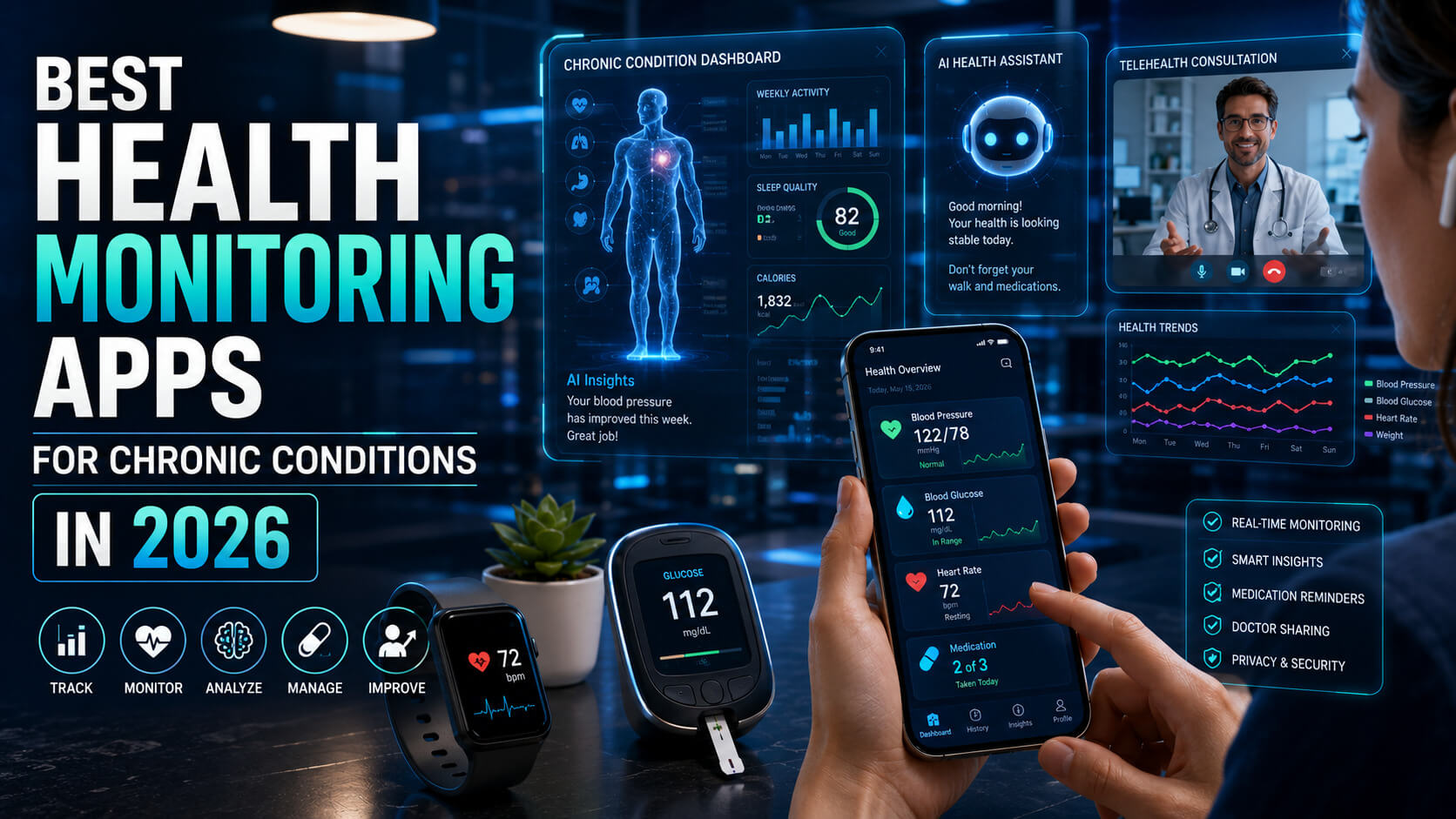
Living with a chronic condition means living with data. Blood sugar readings, blood pressure logs, medication schedules, symptom flare-ups, and weekly trends are all part of daily management. The right app turns that data from a burden into a tool. The wrong one becomes another thing to ignore.
In 2026, hundreds of health monitoring apps target chronic conditions. Many are vanity trackers that overpromise and under-deliver. A small number are genuinely useful, clinically validated, and trusted by both patients and doctors.
This guide covers the five chronic condition apps that consistently earn their place on a smartphone in 2026. Each entry explains the condition it serves best, what makes the app worth using, real user experience notes, and where it falls short.
How We Picked These Apps
Five conditions account for the majority of chronic disease burden in 2026:
- Diabetes
- Cardiovascular disease
- Mental health conditions
- Migraine
- Asthma
The apps in this guide each lead one of those categories based on three criteria:
- Clinical validation or partnerships
- Real user adoption
- Consistent updates over the past two years
Apps that track everything for everyone (general wellness apps like Apple Health or Google Fit) are excluded. The focus here is on tools designed specifically for people managing a diagnosed condition.
1. mySugr (For Diabetes Management)
mySugr is one of the most widely used diabetes management apps in 2026. It logs blood glucose readings (manual or via Bluetooth meters), carbs, insulin doses, mood, and activity in a clean daily view. The app is FDA-cleared as a Class II medical device, which means it meets specific clinical reliability standards.
Why It Works
- Connects directly with major glucose meters (Accu-Chek, OneTouch, Contour) and continuous glucose monitors (Dexcom, Libre).
- Generates clean monthly reports that can be shared directly with endocrinologists and diabetes educators.
- Estimated A1c calculation provides ongoing context between lab visits.
- Pro version includes a smart bolus calculator that pairs with prescribed insulin protocols.
Where It Falls Short
Some users find the gamification (a virtual “diabetes monster” you tame by logging) feels childish. The free version has limited reporting features. Integration with Apple Health and Google Fit is solid but not as deep as standalone CGM apps.
Best For
Type 1 and Type 2 diabetics who want centralized logging and clinical-grade reporting.
2. Cardiogram (For Heart Health and Atrial Fibrillation)
Cardiogram pairs with smartwatches (Apple Watch, Fitbit, Garmin, Wear OS) to track heart rate trends, detect irregular rhythms, and surface patterns over time. It works alongside FDA-cleared smartwatch ECG features rather than replacing them.
Why It Works
- Long-term heart rate trends often reveal early warning signs that single readings miss.
- AI-driven detection algorithms (developed in partnership with UCSF) flag patterns associated with atrial fibrillation, sleep apnea, and high blood pressure.
- Daily insights are written in plain language rather than raw clinical data.
- Allows annotation of events (workouts, stress, caffeine) that show up in heart rate data.
Where It Falls Short
Cardiogram requires a wearable to be useful. Some advanced features sit behind a Premium subscription. The detection alerts are pattern recognition, not diagnosis, and should always be followed up with a clinician.
Best For
People with known heart conditions, those at risk for AFib, and anyone using a smartwatch who wants deeper context on their heart data.
3. Daylio + MyTherapy (For Mental Health and Medication Adherence)
Mental health and chronic illness frequently overlap. Two apps work especially well together: Daylio for mood and symptom tracking, and MyTherapy for medication adherence. Many users with anxiety, depression, bipolar disorder, or chronic pain rely on this pairing.
Why Daylio Works
- Mood logging takes 10 seconds with simple emoji-based selection rather than long forms.
- Pattern detection across mood, sleep, and activity surfaces correlations users would never spot manually.
- Highly customizable categories let users track condition-specific symptoms (pain levels, panic episodes, social interactions).
- Privacy-first: data stays on the device unless the user actively exports it.
Why MyTherapy Works
- Reliable medication reminders with adherence reports for healthcare providers.
- Tracks measurements (blood pressure, glucose, mood, weight) alongside medications.
- Family sharing lets caregivers monitor adherence for elderly parents or children.
- Works without a subscription and respects user privacy.
Where They Fall Short
Daylio does not include any clinical assessment tools (no PHQ-9 or GAD-7 questionnaires). MyTherapy notifications can occasionally be delayed by aggressive battery optimization on Android. Neither is a substitute for therapy or medical care.
Best For
Anyone managing a mental health condition or chronic illness that requires consistent medication adherence.
4. Migraine Buddy (For Migraine and Chronic Headache)
Migraine Buddy is the most widely used migraine tracking app globally, with over 5 million users. It tracks attacks in detail (location of pain, severity, duration, triggers, medications, weather) and produces detailed reports that help neurologists adjust treatment plans.
Why It Works
- Attack logging captures the specific data neurologists need: triggers, prodrome symptoms, aura, and medication response.
- Pattern detection across weather, sleep, and food helps identify personal triggers.
- Reports formatted specifically for clinical use can be exported as PDF and brought to appointments.
- Specific tracking for newer treatments (CGRP inhibitors, gepants) reflects current standard of care.
Where It Falls Short
The free version has aggressive ads and limited reporting. The Pro subscription is required for the most useful features. Some users find the symptom logging overwhelming during an actual attack and prefer to log later from memory.
Best For
Anyone diagnosed with chronic migraine or recurring tension headache who wants to better identify triggers and treatment effectiveness.
5. AsthmaMD (For Asthma and Respiratory Conditions)
AsthmaMD is the longest-standing asthma management app, used by patients, parents, and pulmonologists for over a decade. It tracks peak flow readings, inhaler usage, symptoms, and triggers in a format suitable for clinical review.
Why It Works
- Peak flow logging produces clear visual trends that show whether asthma is well-controlled.
- Tracks rescue inhaler usage, which is one of the strongest indicators of disease control.
- Logs environmental triggers (pollen, air quality, exercise, stress) and helps identify patterns over time.
- Allergy and air quality data sync from local sources, providing context for daily symptoms.
Where It Falls Short
The interface looks dated compared to newer health apps. Limited integration with smart inhalers (Propeller Health and similar). Best paired with a peak flow meter, which is a separate purchase.
Best For
Adults and parents managing asthma who want clinical-grade tracking without enrolling in a connected inhaler program.
Quick Comparison: All 5 Apps
| Condition | App | Free Version | Premium Cost | Best Strength |
|---|---|---|---|---|
| Diabetes | mySugr | Limited | $2.99/mo | FDA-cleared, clinical reporting |
| Heart / AFib | Cardiogram | Most features | $4.99/mo | Long-term pattern detection |
| Mental health | Daylio | Strong | $2.99/mo | Quick mood and pattern tracking |
| Medication adherence | MyTherapy | Full features | Free | Reliable, privacy-first |
| Migraine | Migraine Buddy | Limited | $3.99/mo | Clinical-grade attack reports |
| Asthma | AsthmaMD | Most features | Free / one-time | Peak flow trend analysis |
How to Get the Most Out of a Chronic Condition App
A health monitoring app only helps if it gets used consistently. Here is how to make that happen.
Start Small
Track only one or two metrics for the first 30 days. Adding everything at once is the fastest way to abandon the app.
Set Realistic Logging Times
Most successful users log at the same moments each day (morning, after meals, before bed). Tying logging to existing routines helps it stick.
Bring Data to Appointments
Apps that produce clinical reports are most valuable when shared with your care team. Print or email a 30-day report before each visit.
Trust Trends, Not Single Readings
A bad day in the data is not a problem. A worsening trend over weeks is a signal worth discussing.
Pause When Life Happens
Vacations, hospitalizations, and major life events disrupt logging. Pause for the disruption rather than abandoning the app entirely.
5 Common Mistakes With Chronic Condition Apps
Choosing Apps Based on App Store Ratings Alone
Many highly rated apps target general wellness, not specific conditions. Look for clinical validation and partnerships with patient advocacy organizations.
Ignoring Data Privacy Policies
Health data is among the most sensitive personal data. Read the privacy policy before connecting an app to a device or sharing it with a doctor.
Tracking Without Acting on the Data
Logging without action is just digital paperwork. Set monthly review points to actually change behavior or treatment based on what the app shows.
Switching Apps Constantly
Each switch loses historical data and weakens the long-term trend view. Pick a primary app and stick with it for at least 6 months before evaluating.
Treating the App as a Substitute for Medical Care
Apps support care. They do not replace it. Always combine app-based tracking with regular clinical visits.
Expert Tips From Patients and Clinicians
Use One Tracker Per Condition
A diabetes patient with depression should use a diabetes app and a mental health app, not one general-purpose app trying to do both.
Connect Devices When Possible
Manual logging is the biggest reason apps get abandoned. Bluetooth meters, smartwatches, and connected scales reduce friction dramatically.
Share Access With a Trusted Family Member or Caregiver
Many apps allow shared access. For older patients or anyone managing serious illness, this safety net matters.
Ask Your Specialist What They Want to See
Different doctors prefer different reporting styles. Ask upfront what data is most useful so you do not over-track unnecessary metrics.
Reassess Your Tracking Annually
Conditions evolve. Treatments change. The metrics that mattered last year may not be the ones that matter now.
Frequently Asked Questions
Are Health Monitoring Apps Actually Accurate Enough for Medical Use?
Apps that are FDA-cleared as medical devices (such as mySugr) meet specific clinical accuracy standards and are routinely used by clinicians. General wellness apps without clearance vary widely. The most reliable approach is to use FDA-cleared apps for primary tracking, paired with validated medical devices (Bluetooth glucose meters, blood pressure cuffs, peak flow meters) rather than estimated or smartphone-only readings.
Can I Share Health App Data With My Doctor?
Yes, and most clinicians appreciate it. Most chronic condition apps generate PDF reports formatted for clinical review. Some integrate directly with electronic health record systems (Epic, Cerner) when patient portals support it. The simplest approach is to email a recent report to your provider before each appointment so they have time to review it.
Is My Data Private When I Use a Health Monitoring App?
It depends on the app. Apps subject to HIPAA (in the US) or GDPR (in Europe) handle data with strict protections. Many consumer wellness apps fall outside these protections and may share data with advertisers or analytics providers. Always read the privacy policy and look specifically for data sharing, training, and sale clauses. Apps with explicit “we do not sell or share data” policies are preferable for sensitive health tracking.
Do I Need a Paid Subscription to Use These Apps?
Most apps offer functional free versions that cover basic logging and reporting. Premium subscriptions ($2 to $5 per month typically) unlock advanced features like longer history, deeper analytics, professional report formatting, and ad removal. For someone managing a chronic condition long-term, the premium tier is often worth the cost. Many users start with the free version for 30 to 60 days before upgrading.
Can One App Track Multiple Chronic Conditions?
A few general-purpose apps (Apple Health, Google Fit) can store data from multiple sources, but they rarely match the depth of condition-specific apps. The recommended approach is to use specialized apps for each condition and rely on the smartphone’s built-in health platform (Apple Health or Google Fit) as the central aggregator. This gives you the best of both worlds: deep tracking for each condition and a unified view across all of them.
Pick One, Use It Daily
Health monitoring apps work for the people who actually use them. The best app in the world is useless if it sits unopened on your phone. Pick the one that fits your condition, build a small daily habit around logging, and bring the data to your doctor at every visit.
Living with a chronic condition is hard enough. The right tool can quietly take some of the cognitive load off your shoulders, surface patterns you would never see otherwise, and help you have better conversations with your care team.
For the bigger picture on wearable health technology and where the digital health revolution is heading, read our pillar: Digital Health Revolution: How Wearable Tech Is Saving Lives in 2026. More health technology coverage lives on PostoryCafe.com.