
A small accounting firm in Ohio paid $400,000 to ransomware attackers last quarter. A retiree in Texas lost her life savings to a deepfake voice scam that perfectly imitated her grandson. A healthcare provider serving 2 million patients spent six months recovering from a single phishing email that compromised an entry-level employee account.
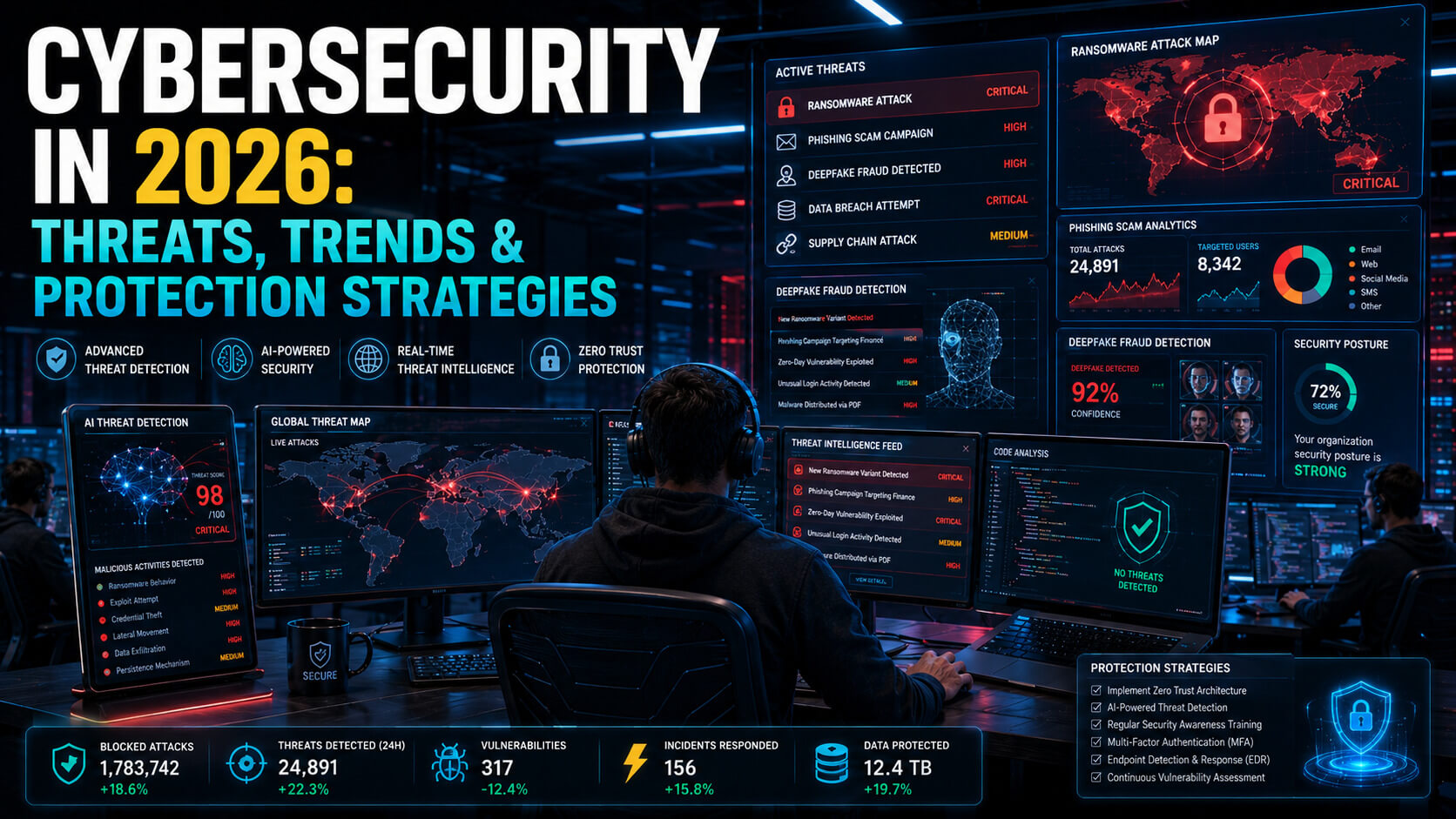
Cybersecurity is no longer an IT department concern. In 2026, it is a daily threat that touches every business, every household, and every connected device. The attackers are more sophisticated than ever, and the gap between “we should probably do something about security” and “we have been compromised” has shrunk to almost nothing.
This guide covers the cybersecurity landscape in 2026 from the ground up. You will learn the threats that actually matter, the defenses that work, and the practical steps both businesses and consumers should take this month, not someday.
What Is Cybersecurity in 2026?
Cybersecurity is the practice of protecting systems, networks, devices, and data from unauthorized access, theft, or disruption. The term covers everything from corporate firewalls to your grandmother’s password choices.
What changed in the past few years is the pace and scale of attacks.
- AI tools made cybercrime cheaper and more automated.
- Remote work expanded the attack surface for most organizations.
- Cloud adoption created new vulnerabilities that did not exist a decade ago.
The threat picture in 2026 is more dangerous than at any previous point in computing history.
The 2026 Cybersecurity Landscape by Numbers
IBM Cost of a Data Breach research puts the average global cost of a data breach above $5 million in 2026, up from $4.45 million in 2023. Cybersecurity Ventures estimates global cybercrime damages will exceed $13 trillion this year, making it larger than many national economies.
Specific patterns worth knowing:
- Phishing remains the entry point for over 70% of breaches.
- Ransomware attacks happen every 11 seconds globally.
- Credential theft has grown 40% year-over-year.
- Healthcare, finance, and small business are the most targeted sectors.
The 7 Most Dangerous Cybersecurity Threats in 2026
Hundreds of attack vectors exist. These seven account for the overwhelming majority of real damage to businesses and consumers in 2026.
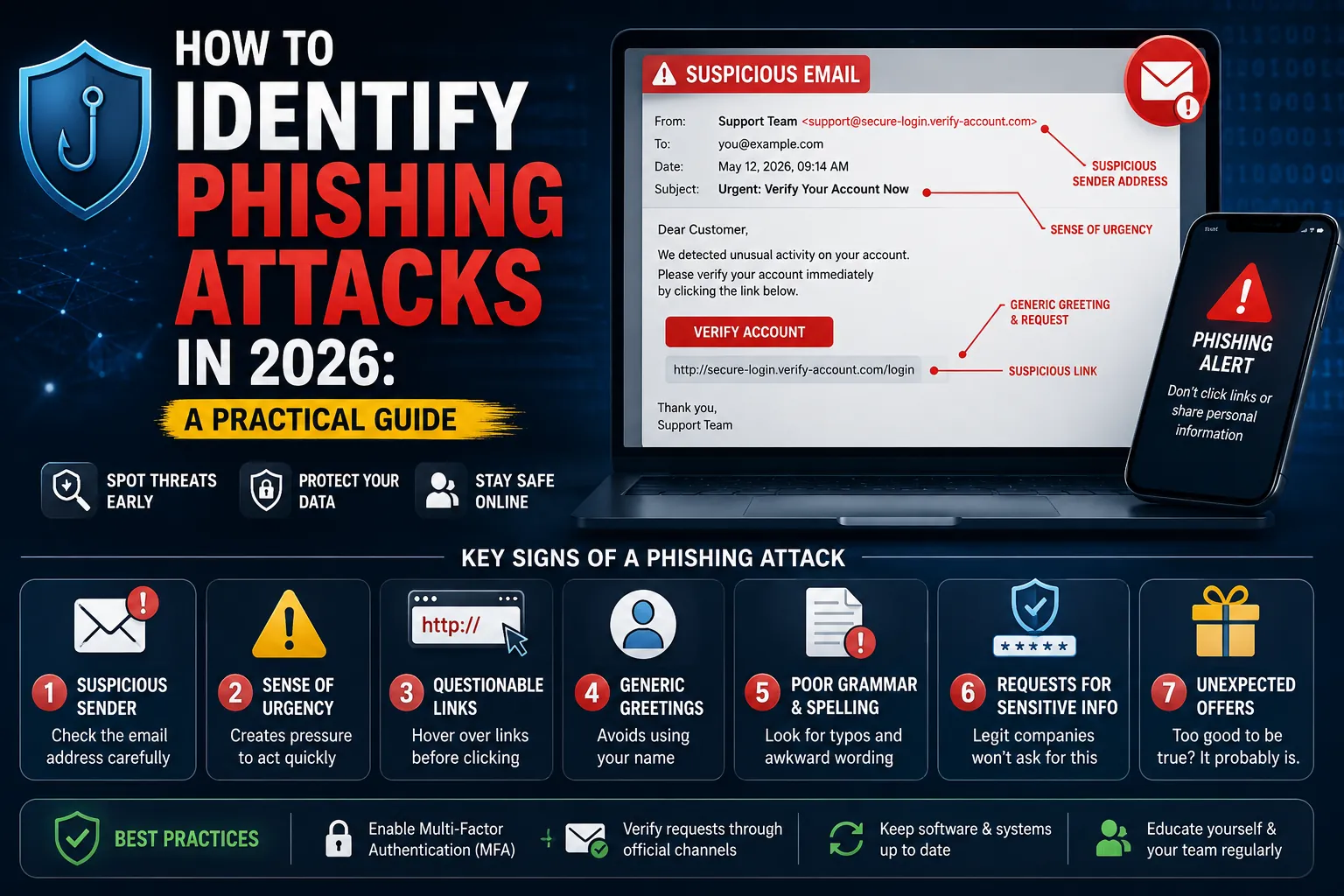
1. AI-Powered Phishing and Social Engineering
Phishing emails used to be easy to spot: bad grammar, generic greetings, suspicious links. AI tools changed that. Modern phishing emails are perfectly written, deeply personalized, and reference real details about the recipient pulled from LinkedIn, social media, and breached data.
In 2026, attackers use AI to research targets, generate convincing emails, and even hold real-time conversations through compromised email threads. A single attacker can run thousands of personalized phishing campaigns simultaneously.
Real-World Example
Spear-phishing attacks on finance department employees now routinely impersonate the CEO, reference specific upcoming deals, and request urgent wire transfers. The emails pass every traditional spam filter because there is nothing technically wrong with them.
2. Ransomware and Double Extortion
Ransomware encrypts your files and demands payment for the decryption key. Modern ransomware groups now also steal the data before encrypting it, then threaten to publish it if the ransom is not paid. This double extortion technique makes backups insufficient as a defense.
Major incidents in recent years (Change Healthcare, MGM Resorts, Colonial Pipeline) showed that even well-funded enterprises can be brought to a standstill within hours. Smaller businesses are often unable to recover at all.
Key Shift in 2026
Ransomware-as-a-service platforms let low-skill attackers rent sophisticated tools. The barrier to entry has collapsed.
3. Deepfake Audio and Video Fraud
Deepfake technology now produces convincing video and audio impersonations from a few minutes of source material. Attackers use these to impersonate executives in video calls, clone voices for phone scams, and fabricate evidence for extortion.
A 2024 case in Hong Kong saw an employee transfer $25 million after attending a video call where every other “executive” was a deepfake. By 2026, deepfake voice calls targeting elderly relatives have become one of the fastest-growing consumer fraud categories.
4. Supply Chain and Third-Party Attacks
Modern businesses depend on hundreds of software vendors, contractors, and service providers. Any one of those connections can be the weak link. Major breaches in recent years (SolarWinds, MOVEit, 3CX) all came through third-party software that customers trusted.
In 2026, regulators are pushing harder on supply chain security. The US Cybersecurity and Infrastructure Security Agency (CISA) and equivalent agencies in Europe now require Software Bill of Materials (SBOM) disclosures for many enterprise vendors.
5. Credential Theft and Identity-Based Attacks
Stolen passwords remain the entry point for the majority of breaches. Once attackers have valid credentials, they bypass most traditional security tools entirely. They are not “hacking in” anymore. They are logging in.
The 2024 Snowflake incident, where attackers used stolen credentials to access customer data at major brands like AT&T, Ticketmaster, and Santander, illustrated the scale of the problem. Organizations that did not enforce multi-factor authentication paid the highest price.
6. Cloud Misconfigurations
As organizations move to AWS, Azure, and Google Cloud, configuration mistakes have become a leading cause of data exposure. Public S3 buckets, overly permissive IAM roles, and exposed databases regularly leak millions of records.
Most cloud breaches are not the cloud provider’s fault. They come from how customers configured (or failed to configure) the services they rented.
7. IoT and Connected Device Attacks
Smart home devices, security cameras, smart TVs, and increasingly connected industrial equipment are all attack targets in 2026. Many of them ship with default passwords, outdated firmware, and no realistic way for users to apply security updates.
Compromised IoT devices are commonly recruited into botnets used for distributed denial of service (DDoS) attacks, cryptocurrency mining, or as launching points to attack other devices on the same network.
How These Threats Actually Reach You
Nine times out of ten, an attack starts with one of these entry points.
| Entry Point | What It Looks Like | Who Uses It |
|---|---|---|
| Phishing email | Convincing email asking for credentials, payment, or action | Most attackers |
| Malicious link or attachment | Document, PDF, or link that installs malware when opened | Ransomware groups, state actors |
| Stolen credentials | Username and password from another breach reused on your account | Credential-stuffing attacks |
| Compromised software vendor | Update or product from a trusted vendor delivers malware | Supply chain attacks |
| Misconfigured cloud service | Public-facing storage or database left exposed by mistake | Opportunistic attackers |
| Vulnerable IoT device | Smart device with default password or outdated firmware | Botnet operators |
| Voice or video deepfake | Fake call or video impersonating someone you trust | Targeted fraud groups |
Cybersecurity Best Practices: What Actually Works in 2026
Most security advice is the same it has always been. The difference in 2026 is that the basics are no longer optional. Here are the cybersecurity best practices that consistently prevent the majority of attacks.
1. Enable Multi-Factor Authentication on Every Important Account
Multi-factor authentication (MFA) blocks over 99% of automated credential attacks. The single highest-impact security action available to consumers and businesses is enabling MFA on every account that supports it.
Use authenticator apps (Google Authenticator, Authy, 1Password, Microsoft Authenticator) rather than SMS codes when possible. SMS-based MFA is better than nothing but vulnerable to SIM-swap attacks. For highest-value accounts, hardware security keys (YubiKey, Google Titan) provide the strongest protection.
2. Use a Password Manager and Unique Passwords
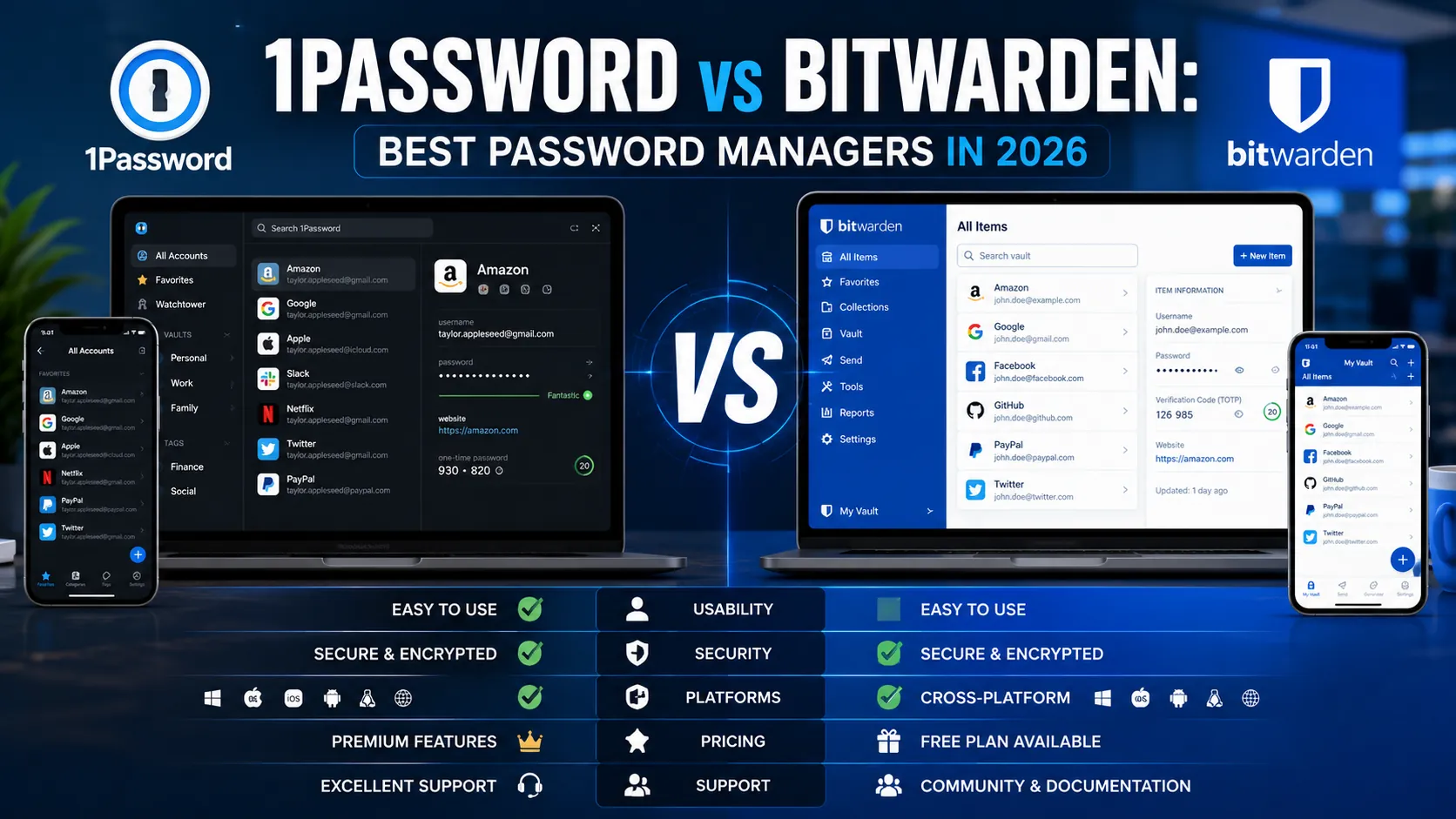
Password reuse is the second most damaging security mistake after disabled MFA. A password manager generates and stores unique, strong passwords for every account. The only password you need to remember is the master password.
Recommended Password Managers in 2026
- 1Password
- Bitwarden (excellent free tier)
- Dashlane
Avoid storing passwords in browsers without separate encryption.
3. Keep Software Updated
Most successful attacks exploit vulnerabilities for which patches already exist. Users and businesses simply did not apply them in time.
Best Practices
- Enable automatic updates on operating systems, browsers, and important applications.
- For business systems, establish a patching policy with maximum delay windows:
- 30 days for general updates
- 7 days for critical security patches
4. Back Up Data Reliably
Regular backups are the only reliable defense against ransomware.
Use the 3-2-1 Rule
- Three copies of important data
- On two different media types
- With one copy stored offsite or offline
Cloud backup services like Backblaze, iDrive, and Carbonite handle this automatically for individuals and small businesses.
Critical Detail
At least one backup must be air-gapped or immutable so attackers who compromise your live systems cannot also delete or encrypt your backups.
5. Train Employees on Phishing and Social Engineering
For businesses, employee security awareness training is among the highest-ROI investments available.
Modern training platforms include:
- KnowBe4
- Hoxhunt
- Wizer
Regular training reduces phishing success rates by 60% to 80% in most organizations.
6. Implement Zero Trust Architecture (For Businesses)
Zero trust security replaces the old “trust everything inside the perimeter” model with “verify every access request, every time.”
Every user and device must prove identity, device health, and authorization for each resource they touch.
In 2026, zero trust is the dominant enterprise security architecture. Microsoft, Google, AWS, and many cybersecurity vendors offer zero trust toolkits.
7. Monitor for Threats in Real Time
Detection and response matters because prevention alone is not sufficient against motivated attackers.
Common Monitoring Tools
- Endpoint Detection and Response (EDR)
- Security Information and Event Management (SIEM)
- Managed detection services
For small businesses without dedicated security staff, managed detection and response (MDR) services from providers like Arctic Wolf, Huntress, and CrowdStrike Falcon Complete provide enterprise-grade monitoring at SMB-friendly prices.
Cybersecurity for Consumers: A 30-Minute Action Plan
Most consumers can dramatically improve their personal cybersecurity in under an hour.
Action Checklist
- Install a password manager and start replacing reused passwords with unique ones.
- Enable MFA on every account that offers it.
- Update your operating system, browser, and apps.
- Check Have I Been Pwned to see which of your email addresses appear in known data breaches.
- Set up a separate email address for online shopping and newsletters.
- Review the apps with access to your Google, Apple, or Microsoft account.
- Add credit freezes with the major credit bureaus.
Cybersecurity for Small Businesses: The Essential Stack
Small businesses are disproportionately targeted because they often lack the security maturity of larger organizations.
| Need | Recommended Solutions | Approximate Cost |
|---|---|---|
| Email security | Microsoft Defender for Office 365, Mimecast, Proofpoint Essentials | $3 to $8 per user/month |
| Endpoint protection | CrowdStrike, SentinelOne, Microsoft Defender for Business | $5 to $15 per device/month |
| Password management | 1Password Business, Bitwarden Business, Dashlane Business | $3 to $8 per user/month |
| MFA / identity | Microsoft Entra ID, Okta, Duo Security | $3 to $9 per user/month |
| Backup | Datto, Veeam, Backblaze Business | $10 to $25 per workstation/month |
| Security awareness training | KnowBe4, Hoxhunt, Wizer | $2 to $6 per user/month |
| Managed detection (optional) | Huntress, Arctic Wolf, CrowdStrike Falcon Complete | $15 to $50 per device/month |
For a 25-person business, expect to budget $1,500 to $4,000 per month for a complete security stack. That is dramatically less than the cost of a single ransomware incident.
Common Cybersecurity Mistakes That Lead to Breaches
1. Treating Security as a One-Time Project
Cybersecurity is a continuous discipline, not an annual checklist.
2. Not Enforcing MFA Universally
“We have MFA available” is meaningless if it is not enforced.
3. Skipping the Basics to Chase Advanced Tools
Buying expensive security tools while still using shared passwords is wasted money.
4. Assuming Small Means Safe
Small businesses are targeted more often than enterprises in many sectors.
5. Ignoring Third-Party Risk
Your security is only as strong as the weakest vendor with access to your systems.
6. Not Testing the Incident Response Plan
A plan no one has rehearsed is a plan no one can execute.
7. Storing Credentials in Code or Configuration Files
Hardcoded API keys and passwords often get scraped by automated attackers.
Expert Tips for Building Lasting Security Habits
Make Security a Board-Level Conversation
Companies where leadership treats security as a CEO concern consistently outperform on prevention and incident response.
Hire a Fractional CISO if You Cannot Afford a Full-Time One
Many firms now provide fractional security leadership at SMB-friendly prices.
Practice Your Incident Response
Run tabletop exercises every six months.
Subscribe to Threat Intelligence Relevant to Your Industry
Use your sector’s ISAC and free CISA alerts.
Build a Security Culture, Not Just Security Policies
Employees who feel safe reporting suspicious activity catch attacks early.
Buy Cyber Insurance, but Read the Fine Print
Modern policies often require:
- MFA enforcement
- Regular backups
- Employee training
- Endpoint protection
Frequently Asked Questions
What Is the Most Common Cybersecurity Threat in 2026?
Phishing and social engineering remain the most common entry points for cyberattacks in 2026, accounting for over 70% of successful breaches.
How Much Does a Typical Cyberattack Cost a Business?
IBM’s Cost of a Data Breach Report puts the average global cost above $5 million in 2026.
For small businesses:
- Average ransomware incident cost: $250,000 to $2 million
- Roughly 60% of small businesses that suffer a serious cyberattack go out of business within six months.
What Is the Easiest Way to Improve My Personal Cybersecurity?
Three actions deliver the largest improvement:
- Enable multi-factor authentication
- Install a password manager
- Turn on automatic updates
Are Macs and iPhones Safer Than Windows and Android?
All major platforms have meaningful attack surfaces in 2026. User behavior matters more than operating system choice.
Is Cybersecurity Insurance Worth It for a Small Business?
For most small businesses with revenue above $1 million per year, yes. Modern policies cover:
- Incident response
- Legal fees
- Regulatory fines
- Ransomware payments
- Business interruption losses
How Do I Know if I Have Been Hacked?
Common signs include:
- Unfamiliar transactions
- Password reset emails you did not request
- Friends receiving messages you did not send
- Slow device performance
- Unexpected pop-ups
- Unknown browser extensions or programs
Cybersecurity Is Now Everyone’s Job
The cybersecurity threats of 2026 are not abstract enterprise problems anymore. They reach into every household, every small business, every medical practice, every retiree’s phone. The attackers have professionalized. The defenses must too.
The encouraging part is that the most effective defenses remain the ones every individual and small business can implement:
- Multi-factor authentication
- Unique strong passwords
- Regular updates
- Careful email habits
- Reliable backups
None of these require a security degree. All of them dramatically reduce risk.
Start this week. Pick three actions from this guide and complete them by Sunday. Repeat next week with three more. In 30 days, you will be more secure than the majority of people sharing the internet with you.
For more practical security guides, threat updates, and step-by-step tutorials, explore PostoryCafe.com. We publish new cybersecurity content every week to help readers stay ahead of the threats that matter.