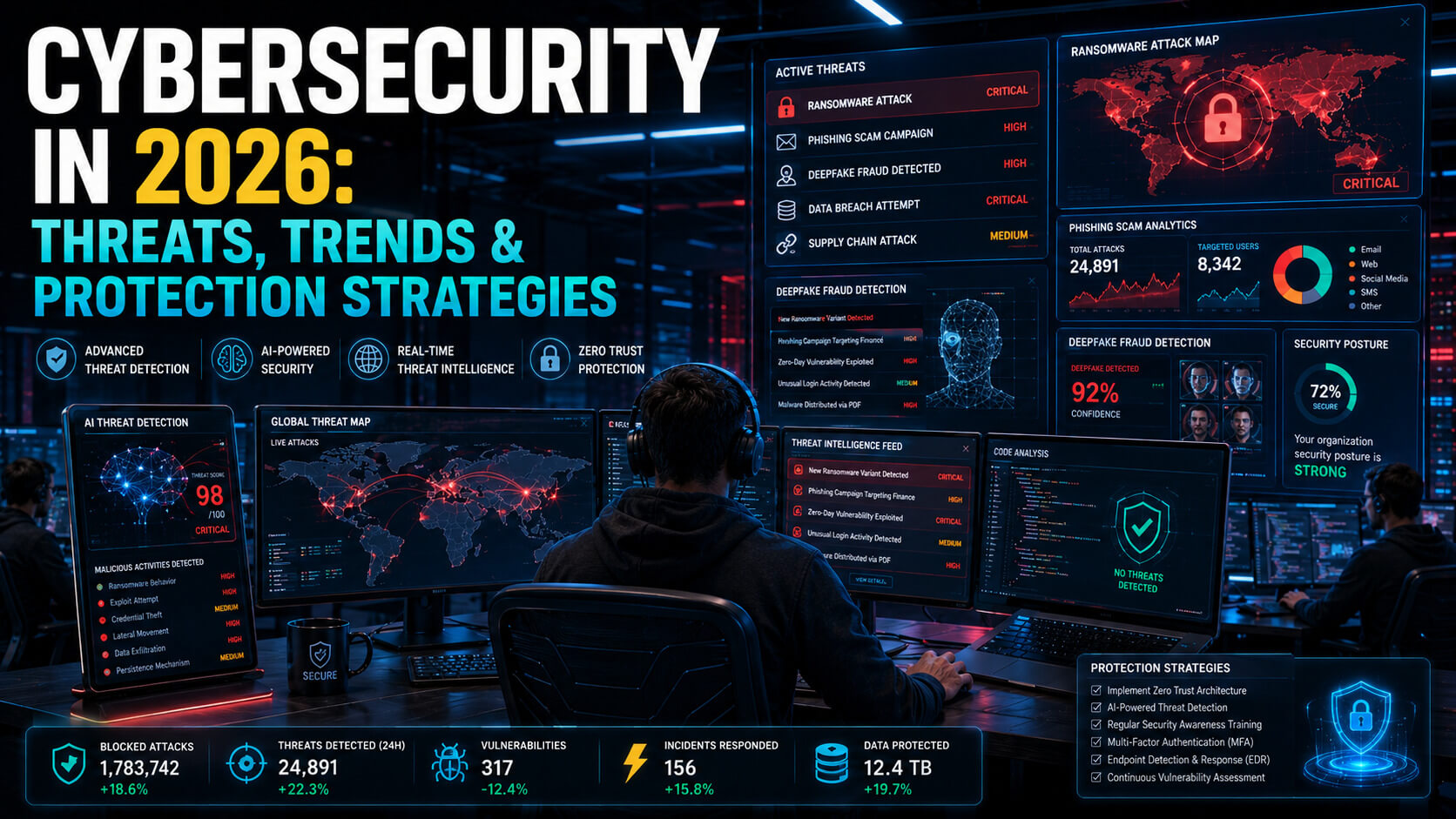
Phishing attacks now account for over 70% of successful cybersecurity breaches in 2026, according to Verizon Data Breach Investigations Report. They are the entry point for ransomware, business email compromise, and credential theft attacks that cost businesses billions every year.
The reason phishing keeps working is simple: it bypasses technical defenses by targeting humans. AI tools have made phishing emails dramatically more convincing in the past two years. The crude misspellings and generic greetings that used to flag a phishing attempt are largely gone.
This guide covers the modern phishing landscape: how attacks have evolved, the warning signs that still work, the techniques that protect you, and what to do if you click on something suspicious.
How Phishing Has Evolved in 2026
Five years ago, phishing emails were easy to spot: bad grammar, generic greetings, suspicious links to misspelled domains, and outlandish requests. Most users could identify them with minimal training.
AI tools changed everything. Modern phishing emails are perfectly written, deeply personalized, and reference real details about the recipient pulled from LinkedIn, social media, and breached data. Attackers research targets at scale, generate context-specific emails, and even hold real-time conversations through compromised email threads.
A 2024 Anti-Phishing Working Group analysis found that AI-generated phishing emails had a 4.5x higher click-through rate than traditional phishing emails. The implications are clear: relying on visual inspection alone is no longer sufficient defense.
The 6 Phishing Attack Types You Will Encounter
1. Email Phishing
The classic. An email impersonates a trusted brand or person and asks you to click a link, open an attachment, or provide credentials. Modern email phishing in 2026 looks indistinguishable from real corporate communication. Attackers spoof sender addresses, copy real email templates, and reference current company events.
2. Spear Phishing
Targeted phishing aimed at specific individuals, usually executives or finance staff. Spear phishing emails reference real projects, real colleagues, and real upcoming events. They are crafted using OSINT (open-source intelligence) gathered from LinkedIn, company websites, and prior data breaches. CEO impersonation requesting urgent wire transfers is one of the most common spear phishing patterns in 2026.
3. Smishing (SMS Phishing)
Phishing via text message. Common patterns include fake delivery notifications (“Your package is delayed, click to reschedule”), fake bank alerts (“Suspicious activity detected, verify your account”), and fake government messages (“Tax refund pending, confirm details”). SMS phishing is rising fast in 2026 because users tend to trust texts more than emails.
4. Vishing (Voice Phishing)
Phone-based phishing. With AI voice cloning now widely available, vishing has become particularly dangerous. Attackers clone the voice of a known executive or family member and call employees or relatives to request urgent action. The 2024 Hong Kong $25 million wire fraud, where multiple deepfake voices on a video call convinced an employee to authorize the transfer, was the most public example.
5. Quishing (QR Code Phishing)
QR code phishing has grown significantly. Attackers print QR codes on stickers and place them over real codes in restaurants, parking lots, public bulletin boards, or on email attachments. The QR code leads to a phishing site that captures credentials. Users scan QR codes with less skepticism than they would click links.
6. Business Email Compromise (BEC)
BEC is the most damaging phishing category by financial loss. Attackers gain access to a real corporate email account (often through earlier credential theft), monitor email patterns, and at the right moment send a request to redirect a payment, change banking details, or wire funds. The FBI reported over $7 billion in BEC losses globally in 2025.
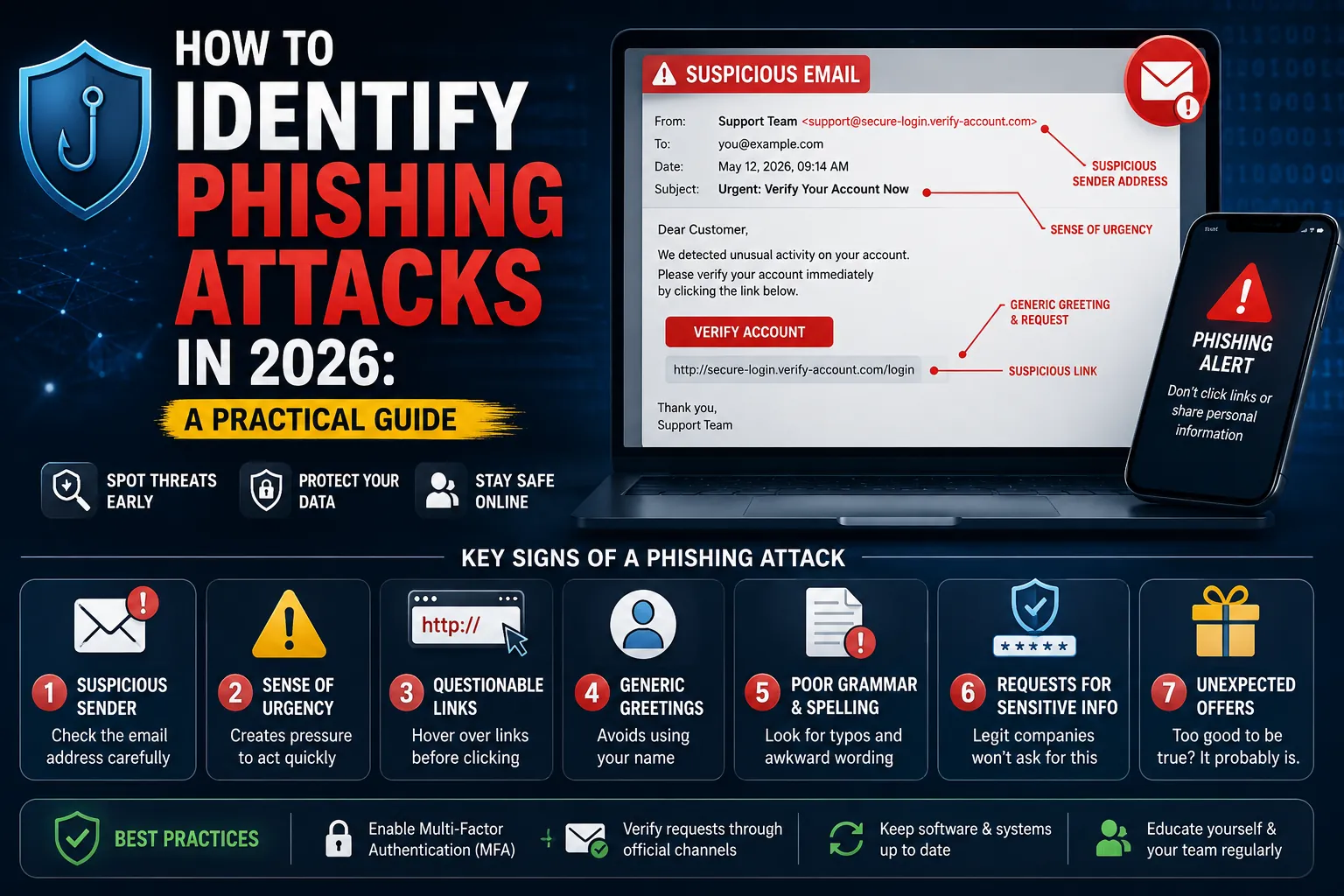
7 Warning Signs That Still Work in 2026
Even with AI-generated phishing, certain patterns remain reliable indicators of malicious intent.
- Urgency manipulation. “Action required within 24 hours,” “your account will be suspended,” “immediate verification needed.” Real organizations rarely create artificial deadlines.
- Requests that bypass normal processes. “I am traveling and cannot access the regular system, please process this through your personal email.” Legitimate business does not work this way.
- Mismatched sender details. Hover over the sender name to see the actual email address. Spoofed names are easy. Spoofed domains are harder. A from address that does not match the sender name is a strong signal.
- Unusual link destinations. Hover over links before clicking. Links should go where they claim to go. A “Microsoft password reset” link going to a domain that is not microsoft.com is phishing.
- Attachments you did not request. Especially .zip, .rar, .iso, .htm, .docm, and .xlsm files. Modern malware hides in attachment formats that look benign.
- Requests for credentials, MFA codes, or payment info via email. Legitimate services almost never request these via email. Especially MFA codes, which should never be shared with anyone.
- Slight inconsistencies in writing style. Even AI-generated phishing sometimes uses slightly off phrasing for a specific person. If a colleague’s tone feels wrong, slow down.
How to Verify a Suspicious Email Safely
When something feels off, follow this verification sequence:
- Do not click any links in the email. Do not open attachments.
- Do not reply to the email to ask if it is real. Compromised threads continue to appear legitimate.
- Look up the sender’s real contact information through a separate trusted channel (your company directory, the official website, an existing contact in your phone).
- Call or message the sender through that verified channel to confirm they sent the email.
- If the email claims to be from a service (Microsoft, your bank, etc.), log into that service directly through a browser bookmark or known URL, not through the email link.
- Report the email to your IT or security team. Reporting is what helps the organization’s defenses improve.
Defenses That Actually Block Phishing
- Multi-factor authentication on every important account. MFA blocks over 99% of automated credential phishing attacks because the stolen password alone is no longer enough to access the account. Hardware security keys (YubiKey) provide the strongest protection.
- Password managers with autofill verification. Password managers only fill credentials on the legitimate domain. If you click a phishing link, your password manager will not autofill the password, which is a strong warning signal.
- Email security filtering. Microsoft Defender for Office 365, Mimecast, and Proofpoint scan emails for known phishing patterns and block most attacks before they reach the inbox. For business accounts, paid email security is essential.
- DNS filtering. Tools like Cloudflare Gateway, Cisco Umbrella, and 1.1.1.1 for Families block access to known phishing domains at the DNS level, providing a safety net even if a user clicks.
- Security awareness training. Modern training platforms (KnowBe4, Hoxhunt, Wizer) simulate real phishing attacks and educate staff continuously. Training reduces phishing click rates by 60% to 80% in most organizations.
What to Do if You Click on a Phishing Link
Acting fast minimizes damage. The complete response sequence:
- Disconnect from the network immediately if you suspect malware.
- Do not enter any credentials on the page you reached. Close it.
- Change the password on any account you may have entered credentials for. Use a different device if you suspect malware on your current one.
- Enable MFA on accounts you use, if not already enabled.
- Run a malware scan with a reputable security tool (Malwarebytes is excellent for one-time on-demand scans).
- Notify your IT or security team. Even if you are unsure whether you fell for it, reporting helps the organization respond.
- Monitor your accounts for unauthorized activity over the following weeks.
- For financial accounts, consider a credit freeze with the major credit bureaus.
5 Common Phishing Mistakes
- Trusting brand familiarity over verification. Just because an email looks like Microsoft does not mean it is from Microsoft.
- Reusing passwords across accounts. When phishing succeeds on one account, password reuse means many accounts are compromised.
- Disabling MFA because it is inconvenient. The few seconds MFA adds to login is the same few seconds attackers cannot easily bypass.
- Ignoring training. Phishing techniques evolve. Annual training is the bare minimum. Regular simulated phishing keeps awareness fresh.
- Treating personal and work accounts the same. Compromise of a personal account often leads to compromise of work accounts when password reuse exists.
Expert Tips
- Verify financial requests through a second channel, always. Any request to wire money, change payment details, or share financial credentials should be verified by phone call or in person, regardless of who appears to be asking.
- Use unique email aliases for online accounts. Tools like Apple Hide My Email, Proton Pass, and SimpleLogin let you create unique aliases for each service. If one is breached, only that alias receives phishing.
- Keep your software updated. Many phishing attacks rely on browser or OS vulnerabilities. Modern updates close most of these.
- Bookmark important sites. Always reach your bank, email, and corporate accounts through bookmarks rather than search results. Search ads can lead to phishing sites.
Frequently Asked Questions
How can I tell if an email is a phishing attempt in 2026?
Look for urgency, requests that bypass normal processes, mismatched sender details (hover to check the actual email address), unusual link destinations, unexpected attachments, requests for credentials or MFA codes, and inconsistencies in writing style. Modern AI-generated phishing has eliminated grammar mistakes as a reliable signal, so focus on context, requests, and sender verification rather than spelling.
What should I do if I clicked a phishing link?
Act fast. Close the page without entering credentials. Change passwords on any potentially affected accounts using a different device. Enable MFA. Run a malware scan. Notify your IT team. Monitor accounts for unusual activity. For financial accounts, consider a credit freeze. Speed of response significantly reduces the damage from a phishing click.
Is MFA enough to protect against phishing?
MFA blocks over 99% of automated credential phishing attacks but is not perfect. Sophisticated phishing kits can capture MFA codes in real time (man-in-the-middle phishing). Hardware security keys (YubiKey, Google Titan) defeat even these advanced attacks because they cryptographically bind to the legitimate domain. For high-value accounts, hardware keys are the strongest available protection.
Awareness Is Your Strongest Defense
Phishing succeeds because it exploits trust. The defenses are partly technical (MFA, email filtering, DNS protection) and partly behavioral (verification habits, skepticism, reporting). Both layers matter. Together they make the difference between an organization that occasionally gets compromised and one that becomes the next breach headline.
For the complete cybersecurity guide covering threats, defenses, and security stacks, read our pillar: Cybersecurity Threats in 2026: The Complete Guide. More security guides live on PostoryCafe.com.