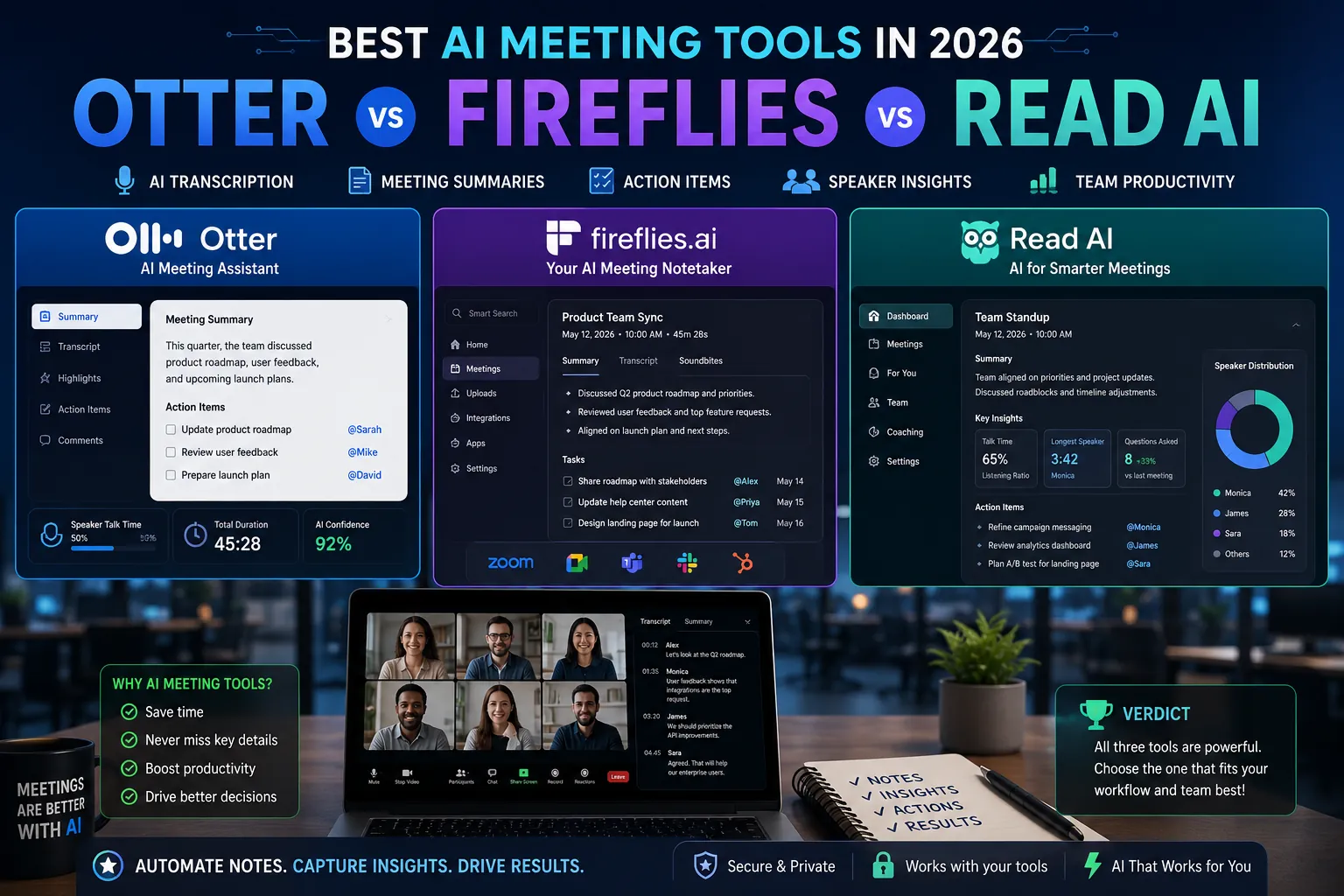
AI meeting tools have moved from optional accessory to essential workflow infrastructure. They transcribe in real time, generate summaries, extract action items, identify decisions, and feed all of it into your CRM, project management tool, or knowledge base. Teams that use them well save hours per week and ship better-organized work.
But the category has fragmented. Otter dominated transcription. Fireflies built strength in sales and revenue intelligence. Read AI focused on meeting analytics. Each product solves slightly different problems. This guide compares the three leaders along with the alternatives worth knowing.
What AI Meeting Tools Actually Do
A modern AI meeting tool joins your video calls, records and transcribes in real time, generates summaries and action items, and integrates the output into the tools you already use. Some focus on transcription. Others focus on conversation analytics. The best ones do both.
1. Otter.ai: The Transcription Standard
Otter is the most widely deployed AI meeting tool in 2026. It joins Zoom, Google Meet, and Microsoft Teams calls automatically, produces clean transcripts, generates AI summaries, and integrates with most calendar systems.
Strengths
- Best transcription accuracy in independent testing.
- Strong real-time captioning for accessibility.
- Otter Chat lets you ask questions about past meeting content.
- Slack and Salesforce integrations.
- Generous free tier (300 minutes per month).
Pricing
Free plan with 300 minutes/month. Pro $16.99/month. Business $30/user/month.
2. Fireflies.ai: The Sales and Revenue Tool
Fireflies excels at sales conversation analytics. It records meetings, generates topic-based summaries, identifies objections and action items, and feeds insights into CRMs like HubSpot, Salesforce, and Pipedrive.
Strengths
- Strongest CRM integration in the category.
- Topic detection and conversation analytics for sales coaching.
- Search across all past meetings by keyword or topic.
- AI-generated talking points before meetings.
Pricing
Free tier available. Pro $18/user/month. Business $29/user/month.
3. Read AI: The Meeting Analytics Specialist
Read AI focuses on conversation quality analytics: who talks, who listens, engagement patterns, and meeting effectiveness. Particularly valuable for managers improving team meeting quality and sales leaders coaching reps.
Strengths
- Most detailed analytics on meeting effectiveness.
- Speaker engagement and sentiment analysis.
- Meeting health scores that improve over time with feedback.
- Strong integration with Zoom and Microsoft Teams.
Pricing
Free plan available. Pro $19.75/month. Enterprise pricing for teams.
Honorable Mentions
- Gong: the enterprise standard for sales conversation intelligence. Best for large sales teams. Custom pricing.
- Chorus.ai (now ZoomInfo): alternative enterprise sales conversation platform.
- Granola: rising star for note-taking-first AI meetings, popular with founders and consultants.
- tl;dv: strong for product and design teams that record many calls and need fast clip sharing.
- Built-in tools: Zoom AI Companion and Microsoft Teams Premium now include native AI summaries.
Comparison Table
| Tool | Best For | Free Tier | Starting Price |
|---|---|---|---|
| Otter.ai | Transcription, accessibility | Yes (300 min) | $16.99/mo |
| Fireflies.ai | Sales and CRM integration | Yes (limited) | $18/user/mo |
| Read AI | Meeting analytics, coaching | Yes (5 meetings) | $19.75/mo |
| Gong | Enterprise sales | No | Custom |
| Granola | Founders, note-first workflow | Free trial | $14/mo |
Which Tool Should You Choose?
- Otter.ai if: transcription quality and broad meeting coverage are priorities. The most universal choice.
- Fireflies.ai if: you run a sales team and want CRM-integrated conversation intelligence.
- Read AI if: you are improving meeting quality across your organization or coaching team performance.
- Gong if: you have a large sales organization and need enterprise-grade conversation analytics.
- Granola if: you take many client meetings and want a note-first workflow that integrates AI subtly.
5 Common AI Meeting Tool Mistakes
- Recording without consent. Most jurisdictions require informing participants. Configure your tool to announce recording.
- Trusting AI summaries blindly. AI sometimes mishears or conflates speakers. Review before sharing externally.
- Not configuring integrations. The real value is automatic flow into CRM or project tools. Spend an hour setting up integrations.
- Recording sensitive meetings. HR, legal, and confidential strategy discussions should not be recorded automatically.
- Letting transcripts pile up unread. Set a workflow for reviewing and acting on key meetings.
Expert Tips
- Configure recording rules per meeting type. Most tools let you exclude specific calendar tags or recurring meetings.
- Use AI summaries for stakeholder updates. Forward the action items section rather than the full transcript.
- Pair with Loom for async video. AI meeting tools handle live calls. Loom handles recorded explanations.
- Audit privacy and data retention. Know how long transcripts are stored and who can access them.
Frequently Asked Questions
Are AI meeting tools legal to use?
Yes, when you comply with consent laws in your jurisdiction. Most US states require single-party consent. Some states (California, Florida, Pennsylvania) require all-party consent. Always announce recording at the start of the meeting.
How accurate are AI meeting transcripts?
Otter.ai and leading tools achieve 90 to 95% accuracy in clear conditions. Accuracy drops with heavy accents, technical jargon, simultaneous speakers, or poor audio. For high-stakes communications, review the transcript before relying on it.
Should I record every meeting?
No. Sensitive HR, legal, and confidential strategy meetings should not be recorded automatically. Record when the value of having a transcript outweighs the privacy overhead.
Pick the Tool That Fits Your Workflow
AI meeting tools genuinely save time when configured well and used consistently. Pick the tool that matches your primary use case (transcription, sales intelligence, meeting analytics), respect consent and privacy, and integrate the output into the tools you already use. Within 30 days, the time savings become obvious.
For the broader picture on AI productivity tools across categories, read our pillar: Top 15 AI Productivity Tools Transforming Remote Work in 2026. More guides live on PostoryCafe.com.