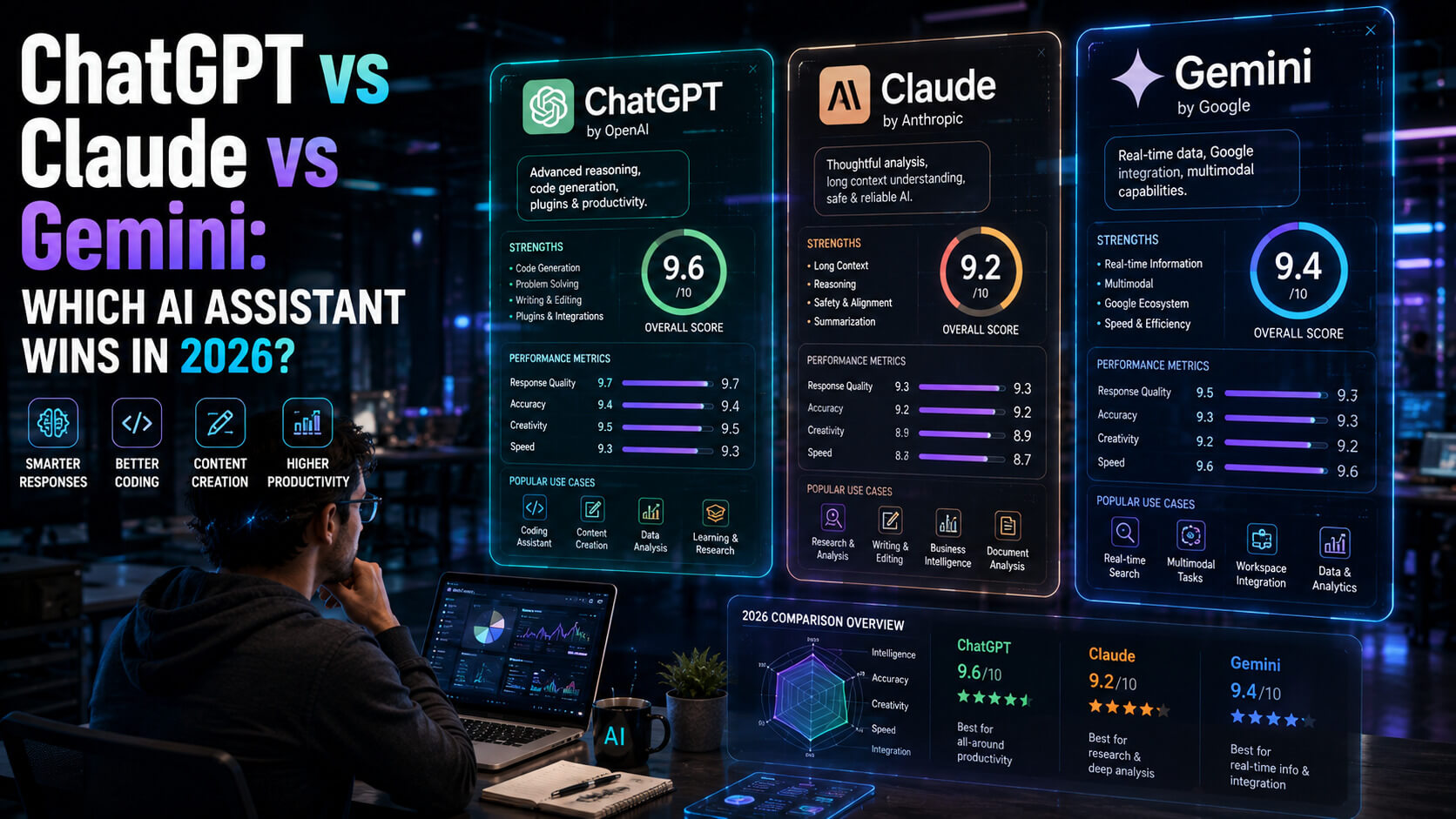
Three AI assistants dominate the conversation in 2026: ChatGPT from OpenAI, Claude from Anthropic, and Gemini from Google. Each claims to be the most capable, the most accurate, or the most creative. Each has its fans. Each has its critics.
For anyone trying to pick one (or use them together effectively), the marketing gets in the way. Benchmarks are noisy. Model updates land every few months. What was true about a chatbot six months ago may not be true today.
This guide cuts through the noise with a practical ChatGPT vs Claude vs Gemini comparison based on how each performs on real tasks in 2026: writing, coding, research, image generation, reasoning, and daily productivity. By the end, you will know which AI assistant fits your workflow.
The Three Assistants at a Glance
Before comparing specific use cases, here is the basic landscape in 2026.
| Assistant | Made By | Latest Model (April 2026) | Key Strength |
|---|---|---|---|
| ChatGPT | OpenAI | GPT-5 series | Broad capability, largest ecosystem |
| Claude | Anthropic | Claude Opus 4.7 (latest, most capable) | Long-form writing, coding, thoughtful reasoning |
| Gemini | Gemini 3 series | Native Google integration, multimodal, search |
All three offer free tiers and paid plans ranging from $20 to $250 per month. All three provide mobile apps, desktop apps, and API access for developers. The differences live in how they perform on the work you actually want to do.
Writing and Creative Work
Writing is the most common use case for AI assistants. Every model can produce passable text. The differences show up in tone, nuance, and how much editing the output needs before it is usable.
Claude
Claude consistently produces the most natural, human-sounding long-form writing among the three in 2026. Output requires less heavy editing, rarely contains filler phrases, and tends to understand tone and voice instructions carefully. Professional writers, content marketers, and editors increasingly name Claude their default tool for drafting.
ChatGPT
ChatGPT is strong on structured writing tasks (outlines, bullet-pointed explanations, listicles, email templates). It handles high-volume writing well and integrates directly with tools many writers already use. The default voice feels more templated than Claude’s but adapts well to specific instructions.
Gemini
Gemini produces reliable writing output with a particular strength in factual summaries, research reports, and content that benefits from recent web context (because Gemini searches Google by default). It is slightly more formulaic than Claude for creative writing but excels when citations and current information matter.
Winner for Writing
- Claude for creative, long-form, or voice-sensitive writing.
- ChatGPT for structured, high-volume writing tasks.
- Gemini for research-heavy writing where current web sources matter.
Coding and Developer Workflows
Developers use AI assistants for code generation, debugging, explanation, and refactoring. All three have improved dramatically in the past year.
Claude
Claude leads for complex coding tasks in 2026. It produces cleaner, more maintainable code, follows instructions more precisely, and handles large codebases better than the other two. Claude Code (Anthropic’s command-line tool) and integrations with VS Code and JetBrains make it the developer favorite in 2026. Most professional engineers using AI pair-programming tools report Claude as their primary assistant.
ChatGPT
ChatGPT remains strong on coding and has the broadest plugin ecosystem. It is particularly good at generating scripts, explaining code snippets to beginners, and working with popular frameworks. GitHub Copilot (powered by OpenAI models) remains the dominant inline code completion tool for many teams.
Gemini
Gemini is the strongest choice when coding in the Google ecosystem (Android, Google Cloud, BigQuery, Firebase). Integration with Google Colab and other Google developer tools is excellent. Outside the Google stack, it trails Claude on most complex coding tasks.
Winner for Coding
- Claude for serious software engineering, refactoring, and production code.
- ChatGPT for scripting, learning, and quick generation tasks.
- Gemini for Google ecosystem development.
Research and Deep Reasoning
Research use cases (synthesizing information, comparing options, analyzing complex questions) increasingly rely on AI assistants as a starting point.
Claude
Claude’s strength in deep reasoning and long context (handling books or entire codebases in a single prompt) makes it particularly strong for research tasks that require careful analysis. It tends to hedge claims it is unsure about, which is helpful for research work where accuracy matters. Claude’s Extended Thinking mode shows its reasoning process, which helps users verify conclusions.
ChatGPT
ChatGPT Deep Research mode produces comprehensive research reports with citations. It is particularly good at turning a broad question into a structured, multi-source answer. For users who want a single polished report from a fuzzy question, ChatGPT often delivers the most ready-to-use output.
Gemini
Gemini Deep Research mode leverages Google’s search index more directly than the others, making it the best choice when current web sources are critical. For questions about recent events, local information, or topics that benefit from Google’s crawl, Gemini often has an edge.
Winner for Research
- Claude for careful reasoning and complex analysis.
- ChatGPT for polished research reports.
- Gemini when current web context is essential.
Image, Video, and Multimodal Capabilities
Multimodal features (images, video, voice, real-world understanding) are where the differences between models are widest.
ChatGPT
ChatGPT includes strong image generation (powered by DALL-E 3 and the newer image model family), voice conversations, and live video understanding through the ChatGPT app. For most consumer multimodal use cases, ChatGPT offers the most polished experience in 2026.
Gemini
Gemini has deep native multimodal capability across text, images, video, and audio, built into every model from the ground up. For developers building multimodal applications, Gemini’s API is among the most flexible. Gemini also integrates with Google Photos, YouTube, and other Google media products.
Claude
Claude handles images well (chart reading, photo analysis, document understanding) but does not generate images or videos directly. For users whose multimodal needs focus on interpretation rather than generation, Claude is fully capable. For image or video generation, ChatGPT or Gemini is the better fit.
Winner for Multimodal
- ChatGPT for consumer image generation and voice.
- Gemini for integrated multimodal tasks across Google products and for developer-grade multimodal APIs.
- Claude for analyzing images and documents rather than generating them.
Daily Productivity and Integrations
For most non-technical users, the real question is which assistant fits most smoothly into daily work. That depends on the tools you already use.
ChatGPT
ChatGPT has the largest ecosystem of plugins, custom GPTs, and third-party integrations. Custom GPTs let users build specialized assistants for specific tasks. For productivity users who want to customize and extend their AI assistant, ChatGPT offers the richest toolkit.
Gemini
Gemini is the strongest choice for users already in the Google ecosystem. It integrates directly into Gmail, Google Docs, Sheets, Slides, Meet, and Drive. For users who live in Google Workspace, Gemini is the most frictionless assistant to use.
Claude
Claude has strong integrations with Slack, Microsoft Excel, PowerPoint, Chrome, and many MCP-compatible tools. Claude Code integrates with most developer environments. Claude’s Projects and Artifacts features make it particularly strong for working on long-lived documents and code.
Winner for Productivity
- Gemini for Google Workspace users.
- ChatGPT for users who want extensive customization and plugins.
- Claude for users who work in long documents, code, or professional writing workflows.
Pricing and Plans Compared
| Plan | ChatGPT | Claude | Gemini |
|---|---|---|---|
| Free tier | Strong limits, older model | Strong limits, capable model | Strong limits, capable model |
| Standard paid | $20/month (Plus) | $20/month (Pro) | $20/month (Google AI Pro) |
| Premium paid | $200/month (Pro) | Higher-tier options available | $250/month (AI Ultra) |
| Team / Business | $25 to $30 per user/month | Similar enterprise pricing | Integrated with Workspace pricing |
| API access | Yes, pay per token | Yes, pay per token | Yes, pay per token |
For most individuals, a single paid subscription to one of the three covers 90% of daily use cases. Power users and professionals often subscribe to two (commonly Claude plus ChatGPT or Claude plus Gemini) to get the best of each.
Which AI Assistant Should You Choose?
A practical decision framework for 2026.
Choose ChatGPT if:
- You want the broadest plugin ecosystem.
- You want strong image generation and voice features.
- You want a single assistant for many tasks.
- ChatGPT is the safest default for general-purpose use.
Choose Claude if:
- You write, edit, code, or analyze for a living.
- Claude consistently delivers the highest quality output for professional knowledge work in 2026.
- It is the best assistant for writing, coding, and careful reasoning.
Choose Gemini if:
- You live in Google Workspace.
- You need current web research.
- You want integrated multimodal capability across text, images, and video.
- Gemini is the most seamless assistant for users already invested in the Google ecosystem.
Many professionals use two of the three. Common pairings include Claude for writing and coding plus ChatGPT for image generation and voice, or Claude for deep work plus Gemini for everyday Google Workspace tasks.
6 Common Mistakes When Using AI Assistants
Trusting Answers Without Verification
All three assistants can produce confident, wrong answers, particularly on specific facts, numbers, or recent events. Always verify high-stakes claims with primary sources.
Using One Assistant for Everything
Each model has strengths and weaknesses. Using the wrong one for a task produces mediocre results. Match the assistant to the job.
Writing Vague Prompts
Clear prompts with context, examples, and specific instructions produce dramatically better output than one-line requests.
Ignoring Privacy Implications
Each provider has different data retention and training policies. Read the privacy documentation before pasting sensitive business data.
Letting AI Replace Judgment, Not Assist It
AI assistants accelerate work. They do not replace the human judgment needed to decide what work to do.
Missing Major Updates
All three models update frequently. A comparison from six months ago may be outdated. Check current capabilities when the decision matters.
Expert Tips for Getting the Most From AI Assistants
Build a Prompt Library
Save the prompts that work for your recurring tasks. Reusing good prompts across projects saves hours and improves output consistency.
Use System Prompts and Custom Instructions
All three let you set background context (your role, preferences, writing style) once so you do not have to repeat it in every conversation.
Ask the AI to Explain Its Reasoning
When you are unsure about an answer, ask the assistant to walk through how it got there. This surfaces errors and hallucinations quickly.
Treat AI Output as a Draft, Not a Final Product
The best results come from treating AI as a skilled assistant whose work you review, edit, and own. Publishing raw AI output erodes quality and trust.
Compare Models for High-Stakes Work
For important writing, coding, or analysis, run the same prompt through two assistants. The comparison often catches errors and improves the final output.
Frequently Asked Questions
Which is the best AI assistant in 2026?
There is no single best AI assistant for every task. Claude leads for professional writing, coding, and careful reasoning. ChatGPT leads for general-purpose use, plugin ecosystem, and consumer multimodal features. Gemini leads for Google Workspace integration and current web research. Many professionals use two of the three together to cover their full range of work.
Is Claude Better Than ChatGPT for Writing?
Most professional writers who have used both extensively prefer Claude for writing in 2026. Claude tends to produce more natural, less templated output that requires less editing before publication. ChatGPT is still strong, particularly for structured writing like outlines, bullet lists, and email templates, and benefits from the broader ecosystem around it. For any writing task where voice and quality matter most, Claude is usually the better starting point.
Which AI Is Best for Coding?
Claude is the most commonly chosen AI for serious software engineering in 2026, particularly for complex refactoring, understanding large codebases, and production-quality code generation. ChatGPT remains strong for quick scripts, learning, and explaining code to beginners. Gemini is the best fit for development within the Google ecosystem (Android, Google Cloud, BigQuery, Firebase). For most professional developers, Claude is the primary coding assistant, often paired with GitHub Copilot for inline completion.
Are AI Assistants Safe to Use With Confidential Data?
Each provider has different data handling policies. Enterprise plans from OpenAI, Anthropic, and Google all include data protection guarantees (no training on your inputs, regional data residency, compliance certifications). Consumer plans vary. Always read the specific privacy policy for your plan and, for highly sensitive information, use enterprise plans or self-hosted alternatives. Never paste confidential business data into a free consumer tier without checking the terms.
Do I Need to Subscribe to All Three AI Assistants?
Most individuals do not. A single subscription to the one that best matches your primary use case covers the majority of daily needs. Power users, creators, and professionals whose work spans multiple domains often find real value in subscribing to two. Few users genuinely benefit from subscribing to all three.
Pick Your Assistant and Start Working
The ChatGPT vs Claude vs Gemini comparison will keep shifting as each company releases new models and features. What stays true is that all three are genuinely useful tools that can multiply the output of a thoughtful user.
Pick the one that fits your primary use case. Use it daily for 30 days. Build your prompt library. Learn its quirks. Then, if your work demands it, add a second assistant that covers a different strength. The best AI workflow in 2026 is the one you actually use, not the one with the most features.
For the full breakdown of the 15 best AI productivity tools for remote work, including writing, meeting, and automation tools beyond chatbots, read our pillar: Top 15 AI Productivity Tools Transforming Remote Work in 2026. More practical AI guides live on PostoryCafe.com.