
Mint is dead. Intuit shut it down in early 2024, leaving millions of budget-conscious Americans looking for replacements. The shutdown reshaped the budgeting app market and accelerated the rise of Monarch Money, YNAB, Copilot, and a handful of others now competing for the title of best budgeting app of 2026.
The good news: the alternatives are dramatically better than Mint ever was. The bad news: most are paid subscriptions, which has been a culture shock for users who got used to free budgeting for over a decade. Picking the right one matters because budgeting apps only work when you actually use them, and the wrong app gets abandoned within weeks.
This guide compares the four most relevant budgeting apps in 2026 across features, philosophy, pricing, and which type of user each one fits.
What to Look for in a Budgeting App in 2026
Five features matter most. The right combination depends on your style.
- Account aggregation. Connecting all your bank, credit card, investment, and loan accounts in one place is the foundation. Look for broad institution support and reliable sync.
- Categorization quality. Good apps automatically categorize transactions correctly. Bad ones require constant manual fixes.
- Budgeting philosophy. Some apps are built around zero-based budgeting (every dollar assigned a job). Others are built around tracking and visualization. Pick the philosophy that fits how you think about money.
- Investment tracking. If you have brokerage and retirement accounts, integrated net worth tracking matters more as your assets grow.
- Mobile and desktop quality. You will likely use the app daily on your phone and weekly on a larger screen. Both experiences matter.
1. Monarch Money: The Mint Replacement Done Right
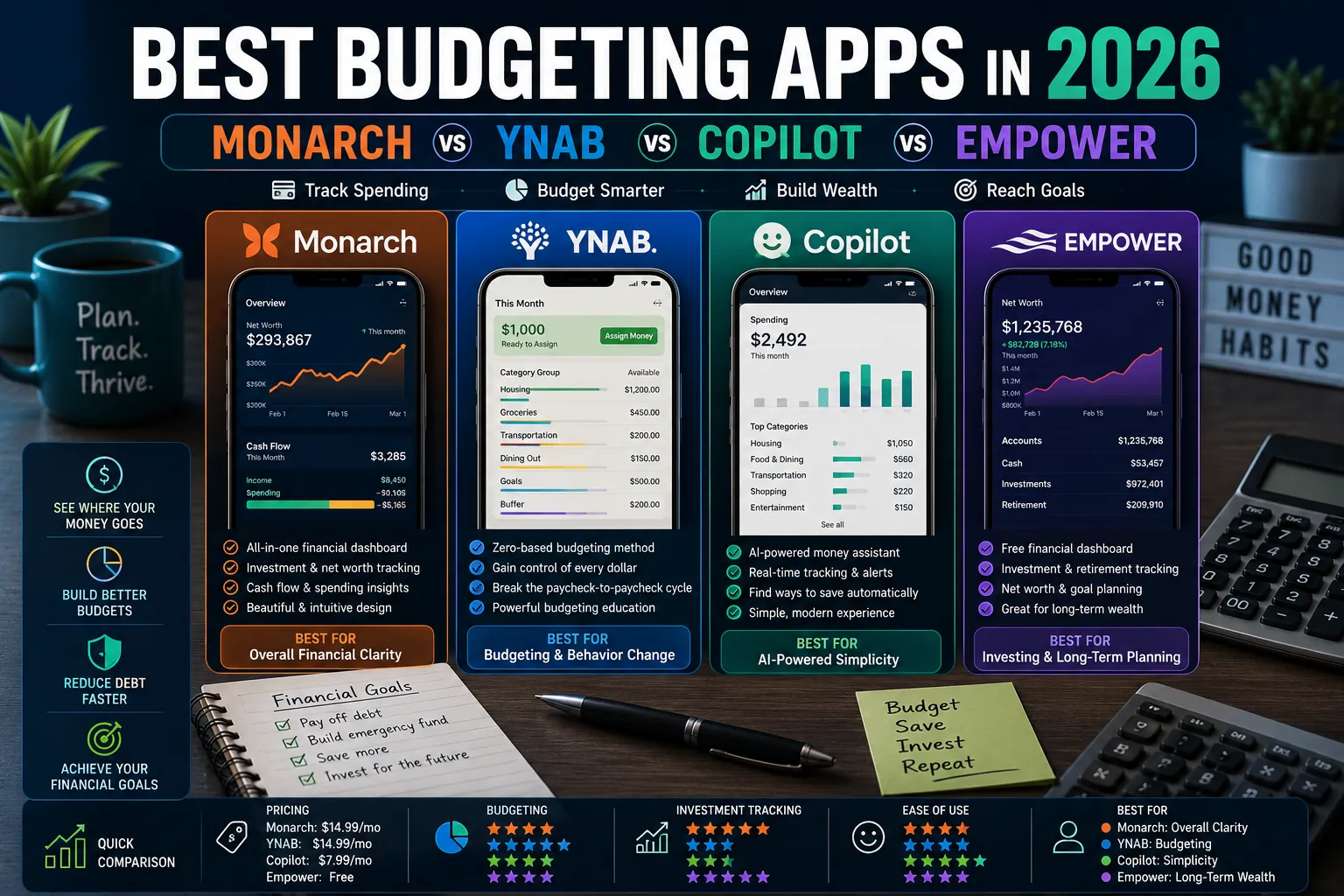
Monarch is the closest thing to a true Mint replacement in 2026, with a polished interface, broad account aggregation, and net worth tracking. After Mint shut down, Monarch absorbed millions of users and used the inflow to fund significant feature development. It is now arguably the most polished general-purpose budgeting and net worth app available.
Strengths
- Connects to over 13,000 financial institutions through Plaid and Finicity.
- Strong categorization with the ability to set rules that auto-apply.
- Excellent net worth tracking including real estate and crypto.
- Couples mode allows two people to share a single budget with separate logins.
- Strong web and mobile experience.
Weaknesses
- No free tier (only a 7-day free trial).
- Less rigorous budgeting framework than YNAB for users who want strict zero-based discipline.
Pricing
$14.99 per month or $99.99 per year. Family plan available with shared accounts.
Best for: users coming from Mint who want a polished all-in-one budgeting and net worth app.
2. YNAB (You Need a Budget): The Behavior-Change Tool
YNAB has been the leading zero-based budgeting tool for over a decade. Every dollar you have gets assigned a specific job before it can be spent. The strict philosophy makes it more demanding to use than other apps but produces measurable behavior change. YNAB users typically save more, spend less impulsively, and report higher financial confidence than users of tracking-based apps.
Strengths
- Best zero-based budgeting framework in the market.
- Strong educational content and community helping users build budgeting skills.
- Direct import from major banks plus manual entry for everything else.
- Couples-friendly with shared budgets.
- Reports on long-term spending trends.
Weaknesses
- Steeper learning curve than Monarch or Copilot.
- Requires more active management (typically 10 to 20 minutes per week).
- No native investment tracking (separate from budgeting).
- Most expensive of the major budgeting apps.
Pricing
$14.99 per month or $109 per year. 34-day free trial.
Best for: users who want strict budgeting discipline, behavior change, and a rigorous framework. Particularly strong for getting out of debt or escaping paycheck-to-paycheck cycles.
3. Copilot Money: The Polished iOS Choice
Copilot is the most polished iOS-first budgeting app in 2026. Its design and interaction quality are noticeably ahead of competitors. The trade-off: it is iOS-only, which excludes Android users entirely. For iPhone households, Copilot is the most enjoyable budgeting app to actually use day to day.
Strengths
- Best mobile design and user experience among budgeting apps.
- Excellent automatic categorization powered by AI.
- Native investment and crypto tracking.
- Apple Watch and macOS apps for cross-Apple device use.
- Strong privacy stance (no ads, no data sharing).
Weaknesses
- iOS only. No Android, no web app.
- Less feature-rich for couples sharing accounts than Monarch or YNAB.
- Smaller institution coverage than Monarch (though most major US banks are supported).
Pricing
$13 per month or $95 per year.
Best for: Apple ecosystem users who value design quality and a polished daily-use experience.
4. Empower (formerly Personal Capital): Best for Investment-Heavy Users
Empower’s strength is investment tracking and net worth management rather than detailed budgeting. For users with significant investment accounts, retirement assets, and complex portfolios, Empower’s investment tools are the strongest free offering in the category. The basic budget tracking is functional but secondary.
Strengths
- Free for the core budgeting and investment tracking features.
- Best-in-class investment tracking, asset allocation analysis, and fee analyzer.
- Retirement planner uses Monte Carlo simulation to project retirement readiness.
- Strong account aggregation across banks, brokerages, and retirement accounts.
Weaknesses
- Aggressive sales calls offering paid wealth management services after sign-up.
- Budgeting features are basic compared to YNAB or Monarch.
- Less suitable for couples or shared accounts.
Pricing
Free for self-service budgeting and investment tracking. Paid wealth management services start at 0.49% to 0.89% AUM annually.
Best for: users with substantial investment portfolios who want net worth tracking more than detailed expense budgeting.
Honorable Mentions
- Rocket Money (formerly Truebill): strong subscription tracking and bill negotiation features. Less rigorous as a primary budgeting tool.
- Quicken Simplifi: modern descendant of the classic Quicken software. Solid all-around app for users who want web and mobile.
- PocketSmith: excellent for cash flow forecasting and self-employed users with variable income.
- Tiller Money: spreadsheet-based budgeting for users who prefer Excel or Google Sheets over traditional apps.
Side-by-Side Comparison
| App | Best For | Free Tier | Cost | Standout Feature |
|---|---|---|---|---|
| Monarch Money | All-around budgeting | 7-day trial | $15/mo | Polished interface, couples mode |
| YNAB | Strict budgeting discipline | 34-day trial | $15/mo | Zero-based budgeting framework |
| Copilot Money | iOS users | 7-day trial | $13/mo | Best mobile design |
| Empower | Investment tracking | Free | Free (paid advisor) | Net worth, retirement planning |
| Rocket Money | Subscription cancellation | Limited free tier | $3 to $12/mo | Bill negotiation |
| Tiller Money | Spreadsheet enthusiasts | 30-day trial | $79/year | Google Sheets / Excel automation |
Which Should You Choose?
- Choose Monarch Money if: you want a polished all-around budgeting and net worth app, particularly if you came from Mint.
- Choose YNAB if: you need behavior change, want zero-based discipline, or are working hard to get out of debt.
- Choose Copilot if: you are an iOS user who values design quality and uses your iPhone as your primary financial dashboard.
- Choose Empower if: investment tracking and net worth matter more than expense budgeting, especially as your portfolio grows.
Common Budgeting App Mistakes
- Subscribing without committing. Budgeting apps only work if you actually use them daily for at least 60 days. Sign up only when you are ready to commit to the habit.
- Setting unrealistic budgets. Budgets that require dramatic behavior change get abandoned in the first month. Start with budgets close to your actual current spending and refine over time.
- Over-categorizing. 50 categories sound thorough but become impossible to maintain. Most users do better with 12 to 20 categories.
- Ignoring sync issues. When transactions stop syncing from your bank, fix it within a week. Letting the app fall out of date for a month makes it impossible to recover.
- Switching apps too often. Each app switch loses historical data. Pick one and commit to at least 90 days before evaluating.
Expert Tips
- Set a weekly review time. 15 minutes every Sunday to categorize transactions and check budgets keeps the system current and prevents overwhelming weekend reviews.
- Connect all accounts, even ones you rarely check. Hidden accounts (forgotten brokerage, old savings) often hold meaningful money worth tracking.
- Use rules to automate categorization. Once you have set rules for your common merchants, the app categorizes 80% of transactions correctly without any manual work.
- Set up alerts for unusual spending. Most apps allow alerts when you exceed a category budget or when unusual transactions occur. Use them.
Frequently Asked Questions
Is Monarch Money worth the cost?
For users who want a Mint replacement with broader features and a more polished experience, Monarch is worth the $15 per month for most people. The combination of budgeting, net worth tracking, investment monitoring, and couples mode covers everything most personal finance use cases need. If you only need basic budgeting and find $180 per year hard to justify, YNAB or even Empower’s free tier may serve you better.
Is YNAB still worth it in 2026?
Yes, particularly for users who want to fundamentally change their financial behavior. YNAB’s zero-based methodology has consistently produced measurable improvements in savings rates and reduced impulsive spending across multiple independent studies. The cost is justified for users who actually engage with the framework. Users who want passive tracking will find Monarch or Copilot better fits.
Are budgeting apps safe to use?
The major budgeting apps in this guide use bank-level encryption and read-only access to your financial accounts. They cannot move money, only view it. Account aggregation is handled through services like Plaid, Finicity, and MX, which are also used by major banks themselves. The risk is comparable to using mobile banking apps, which is to say very low for reputable apps. Always enable two-factor authentication on the budgeting app account itself.
Can I use a budgeting app without connecting my bank accounts?
Yes, all the apps in this guide support manual entry. YNAB in particular has a strong tradition of manual entry users. The trade-off is that manual entry requires significantly more daily discipline (10 to 20 minutes per day versus 5 minutes per week with automatic sync). For users uncomfortable with bank account aggregation, manual entry can still produce excellent budgeting outcomes if you stick with it.
The Right App Is the One You Will Use
Budgeting apps only work for users who use them. The fanciest features, the most beautiful design, and the most rigorous methodology all amount to nothing if the app sits unopened on your phone. Pick the one that fits your style, commit to 60 days of consistent use, and adjust based on what works.
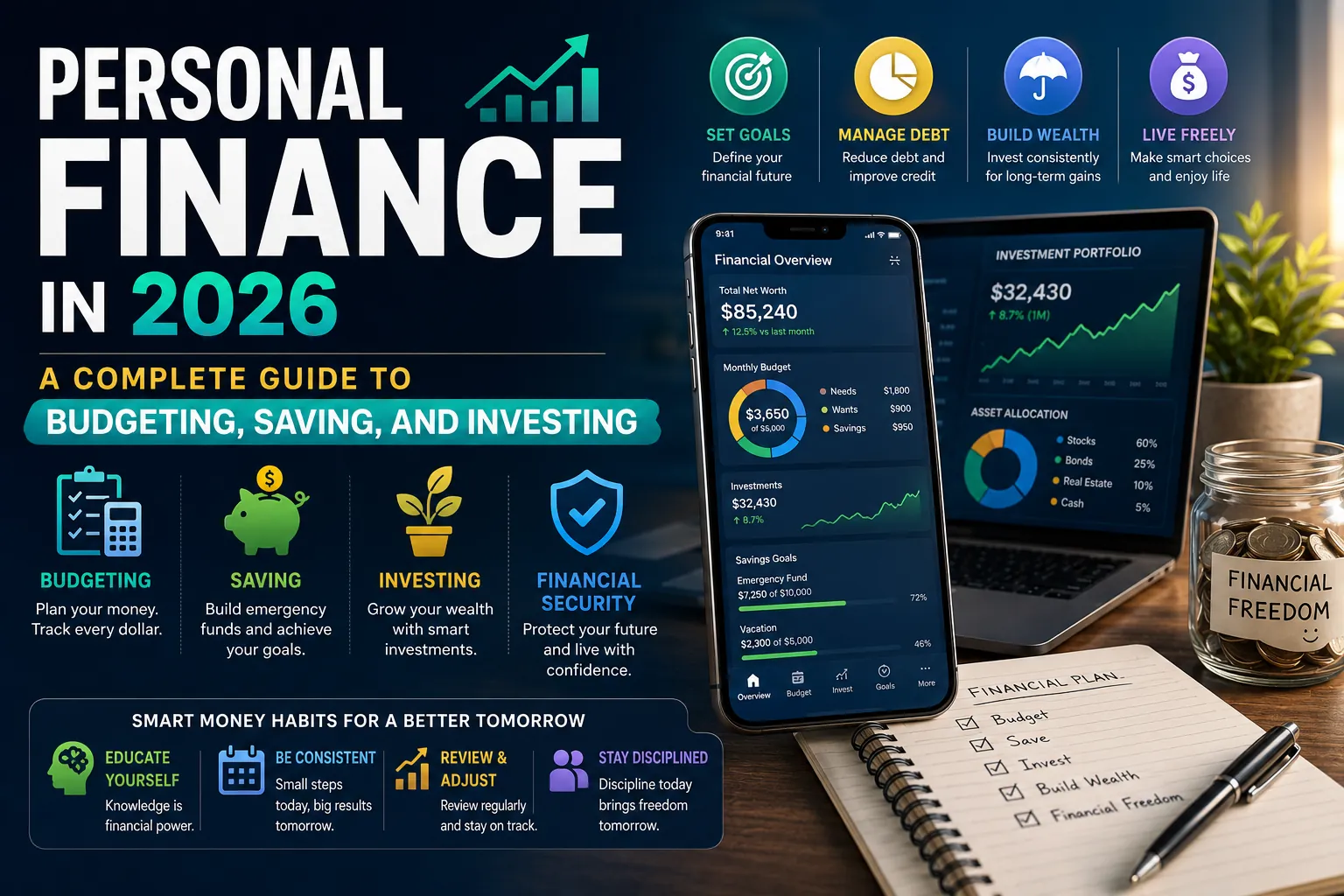
For the complete personal finance roadmap covering budgeting, savings, debt, and investing, read our pillar: Personal Finance in 2026: A Complete Guide. More money guides live on PostoryCafe.com.